

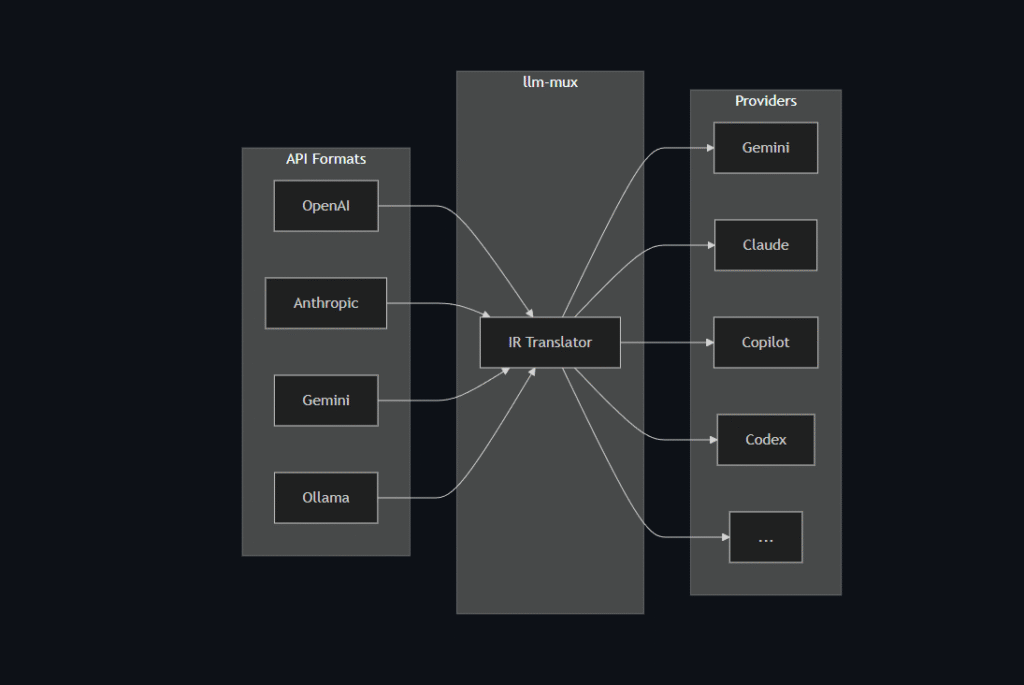
In the rapidly evolving world of Artificial Intelligence, developers often face a significant headache: Fragmentation. Today you are using OpenAI, tomorrow Anthropic releases the powerful Claude 3.5, and the next day Google updates Gemini. Constantly rewriting your code to adapt to different individual APIs is time-consuming and inefficient.
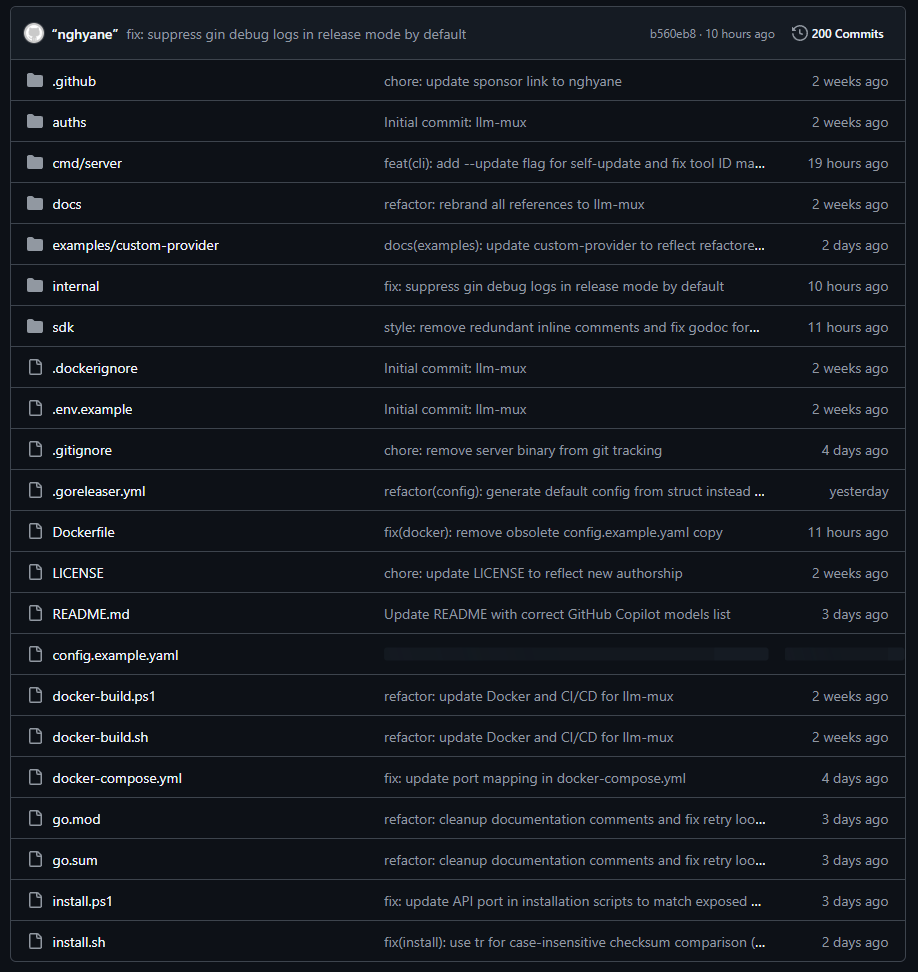
This is where LLM Mux comes in (Project link: https://github.com/nghyane/llm-mux).
What Is LLM Mux?
LLM Mux (Large Language Model Multiplexer) operates as an intelligent “Gateway” or Router. Instead of your application connecting directly to each provider (OpenAI, Google, Anthropic, etc.), your app only needs to connect to LLM Mux.
LLM Mux sits in the middle, receives your request, and automatically “routes” it to the most suitable AI model that you have configured.
Why Should You Use LLM Mux?
1. Standardize to a Single API
Most LLM Mux setups standardize output to the OpenAI API format. This means you only need to write code that supports OpenAI, but underneath, you can run Claude, Gemini, or even a local Llama 3 model without changing a single line of code in your main application.
2. Easy A/B Testing
Are you torn between whether GPT-4o or Claude 3.5 Sonnet writes better code? With LLM Mux, you can switch models simply by changing a configuration file, making quality comparison incredibly simple.
3. Cost Optimization & Security
- Cost: You can route simple questions to cheaper models (like GPT-3.5 or Local Models) and reserve expensive models (GPT-4) only for complex tasks.
- Security: Keep your API Keys safe on your Server/Localhost; there is no need to hard-code keys directly into your Client Source Code.
Conclusion
The LLM Mux open-source project on GitHub is a fantastic tool that simplifies the workflow of developing AI-integrated applications. If you are a Developer building AI products, this is an indispensable tool in your arsenal.
⚡️ Quick Install
No dependencies required. These scripts download the pre-compiled binary for your architecture.
macOS / Linux
curl -fsSL https://raw.githubusercontent.com/nghyane/llm-mux/main/install.sh | bash
Windows (PowerShell)
irm https://raw.githubusercontent.com/nghyane/llm-mux/main/install.ps1 | iex
🚀 Getting Started
1. Initialize
Run this once to set up the configuration directory:
llm-mux --init
2. Authenticate Providers
Login to the services you have subscriptions for. This opens your browser to cache OAuth tokens locally.
# For Google Gemini (Free Tier or Advanced)
llm-mux --antigravity-login

# For Claude Pro / Max
llm-mux --claude-login

# For GitHub Copilot
llm-mux --copilot-login
View other login commands (OpenAI Codex, Qwen, Amazon Q)
| Provider | Command | Description |
|---|---|---|
| OpenAI Codex | llm-mux --codex-login | Access GPT-5 series (if eligible) |
| Qwen | llm-mux --qwen-login | Alibaba Cloud Qwen models |
| Amazon Q | llm-mux --kiro-login | AWS/Amazon Q Developer |
| Cline | llm-mux --cline-login | Cline API integration |
| iFlow | llm-mux --iflow-login | iFlow integration |
3. Verify
Check if the server is running and models are available:
curl http://localhost:8317/v1/models
🛠 Integration Guide
Point your tools to the local proxy. Base URL: http://localhost:8317/v1
API Key: any-string (unused, but required by some clients)
Cursor
- Go to Settings > Models.
- Toggle “OpenAI API Base URL” to ON.
- Enter:
http://localhost:8317/v1
VS Code (Cline / Roo Code)
- API Provider: OpenAI Compatible
- Base URL:
http://localhost:8317/v1 - Model ID:
claude-sonnet-4-20250514(or any available model)
Aider / Claude Code
# Using Claude Sonnet via llm-mux
aider --openai-api-base http://localhost:8317/v1 --model claude-sonnet-4-20250514
Python (OpenAI SDK)
from openai import OpenAI

client = OpenAI(
    base_url="http://localhost:8317/v1",
    api_key="unused"
)

response = client.chat.completions.create(
    model="gemini-2.5-pro",
    messages=[{"role": "user", "content": "Hello!"}]
)
print(response.choices[0].message.content)
🤖 Supported Models
llm-mux automatically maps your subscription access to these model identifiers.
| Provider | Top Models |
|---|---|
gemini-2.5-pro, gemini-2.5-flash, gemini-3-pro-preview | |
| Anthropic | claude-sonnet-4-20250514, claude-opus-4-5-20251101, claude-3-5-sonnet |
| GitHub | gpt-4.1, gpt-4o, gpt-5, gpt-5-mini, gpt-5.1, gpt-5.2 |
Note: Run
curl http://localhost:8317/v1/modelsto see the exact list available to your account.
How to Integrate LLM Mux into Visual Studio Code: Supercharge Your Coding with a Custom AI Assistant